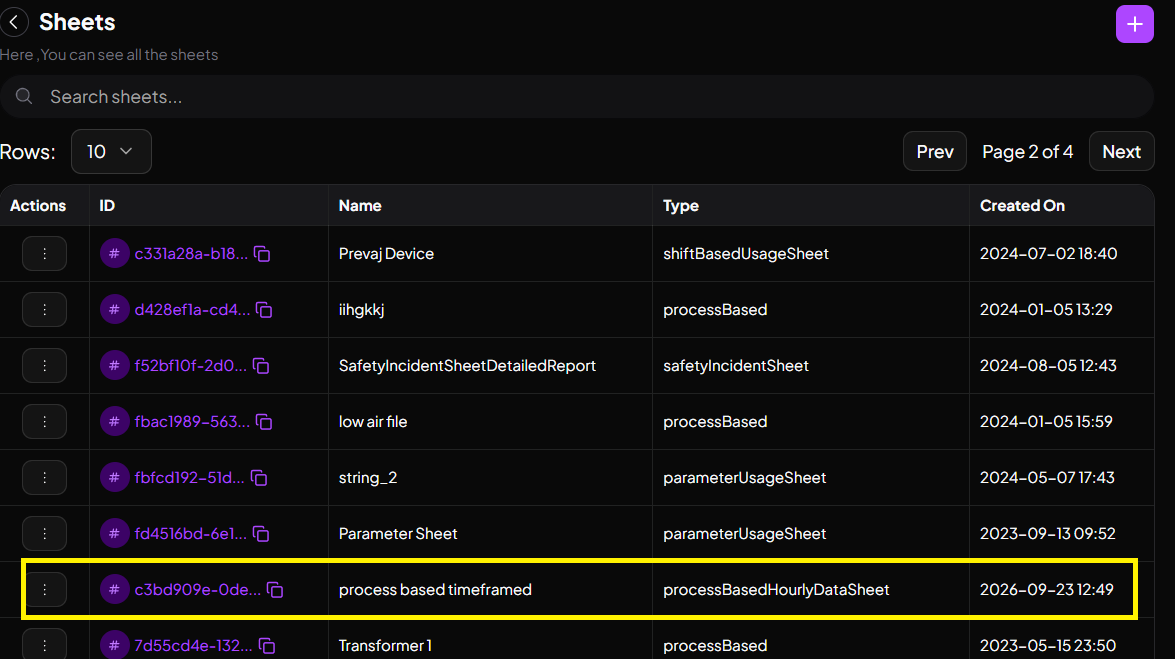
Process Based Time Framed Sheet
This sheet allows us to configure with the choice of a process and flexible timings for when the data will be captured. The Timeframe can also be selected upon requirement.
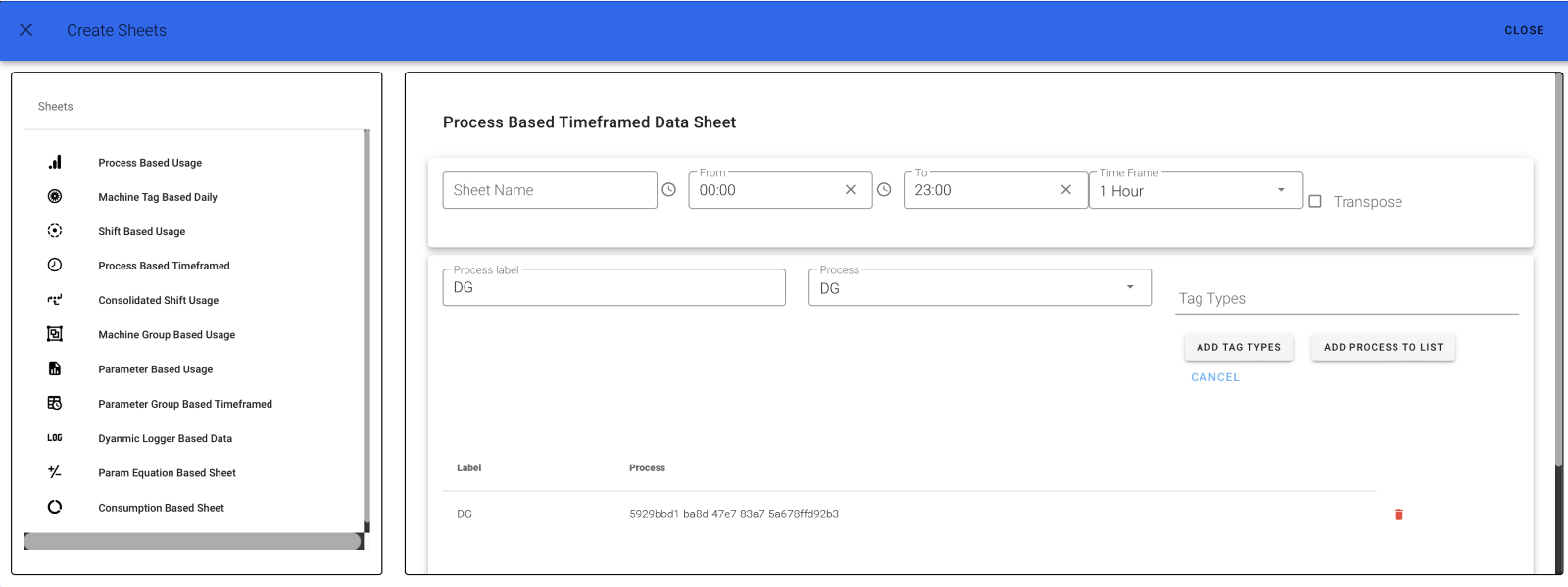
To create a sheet based on Process with its Time Duration, a Process Based TimeFrame Sheet can be used. Click on Process Based TimeFramed. The page below appears.
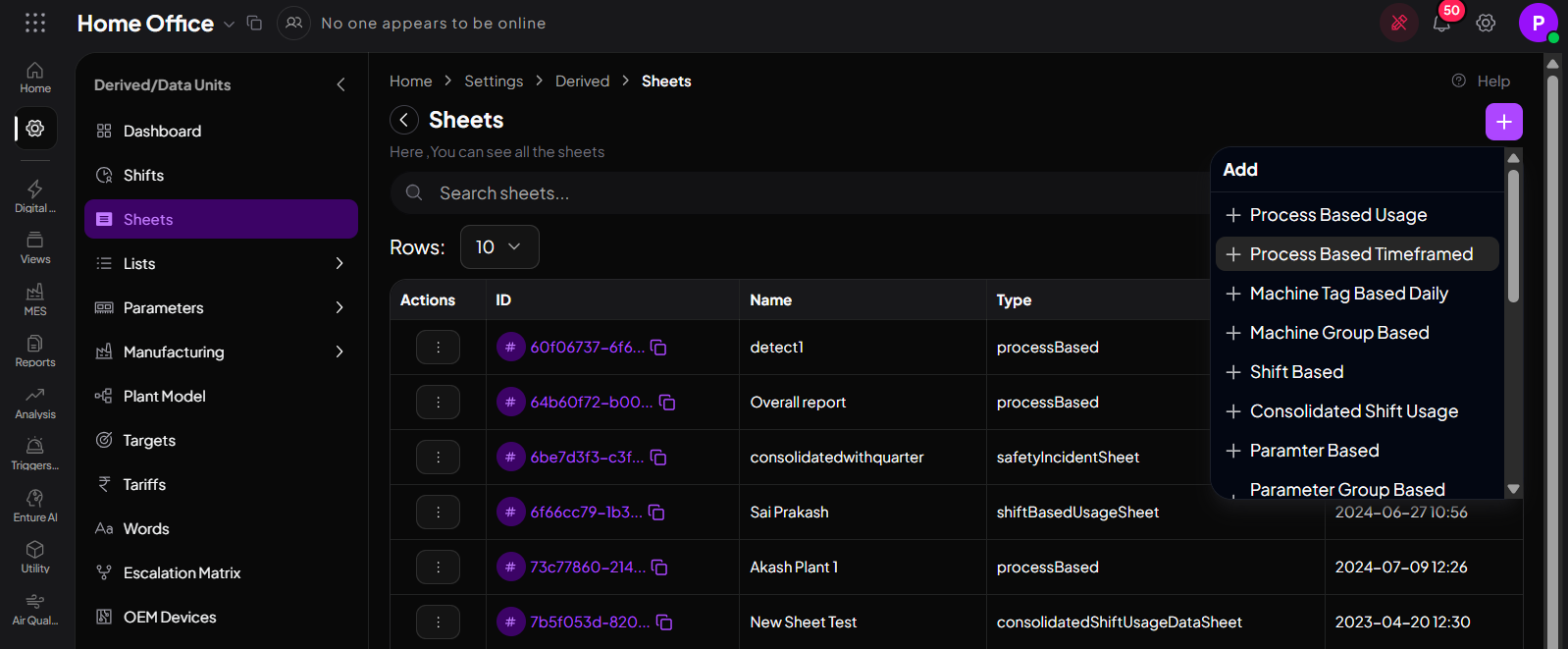
Step 1
Give your Sheet a Name and choose the Time From followed by To, and select your timeframe from the drop-down list. The images below will be helpful for better understanding. (Choose timeframe from the clock option.)
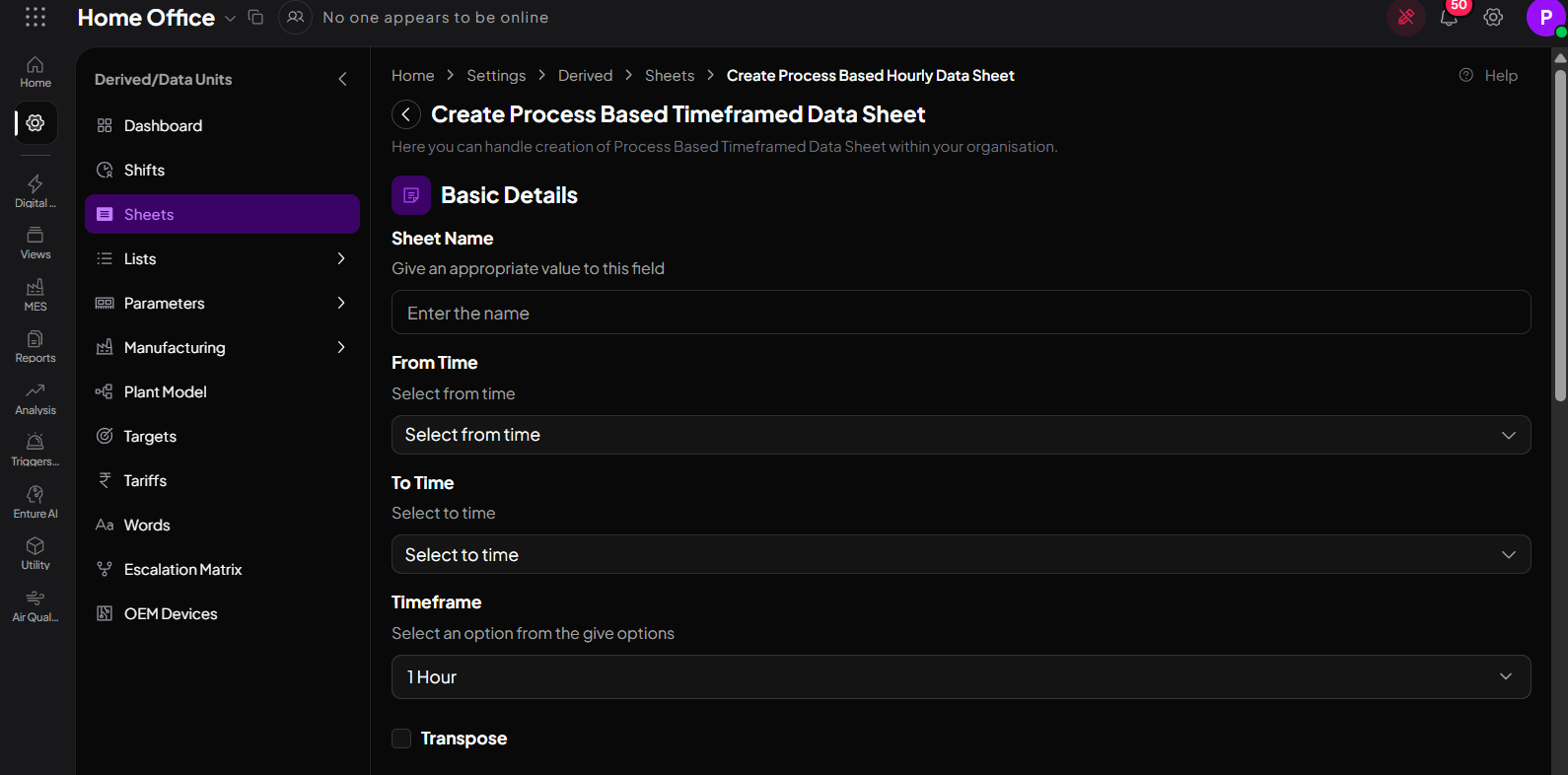
Step 2
Fill in Your Tag Label, select your Tag Type, and click on ADD.
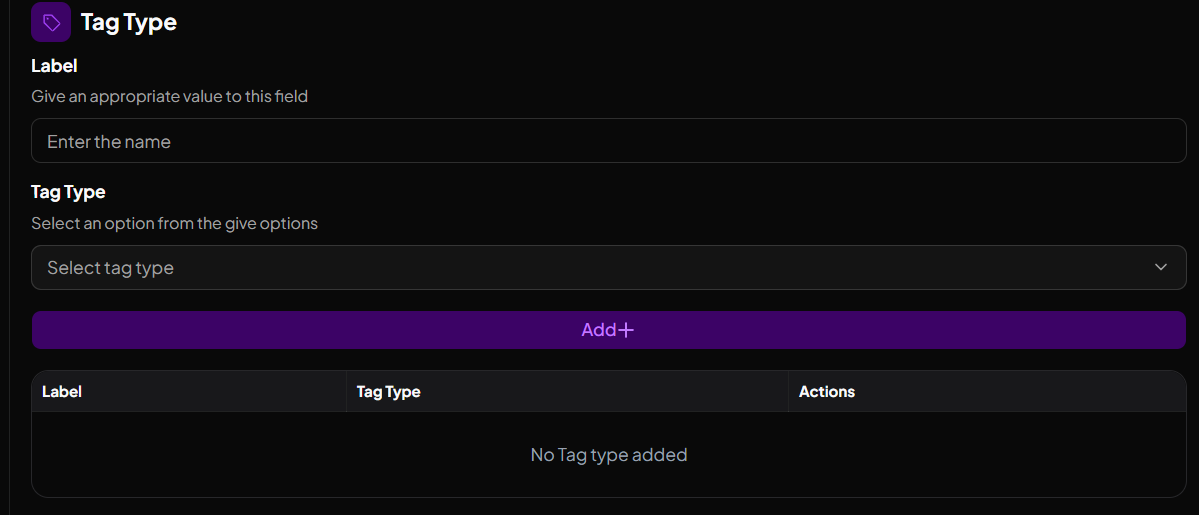
Step 3
The below image shows how a tag type is added to the list.

Step 4
Now click on ADD(under process) to add the Tag Type List to the process. The below image shows how a tag type list is added to the Process List. You can also delete your Tag Type. Finally, click on Create.
Step 5
A fully created Process Based Time Framed Usage Sheet will look like this.