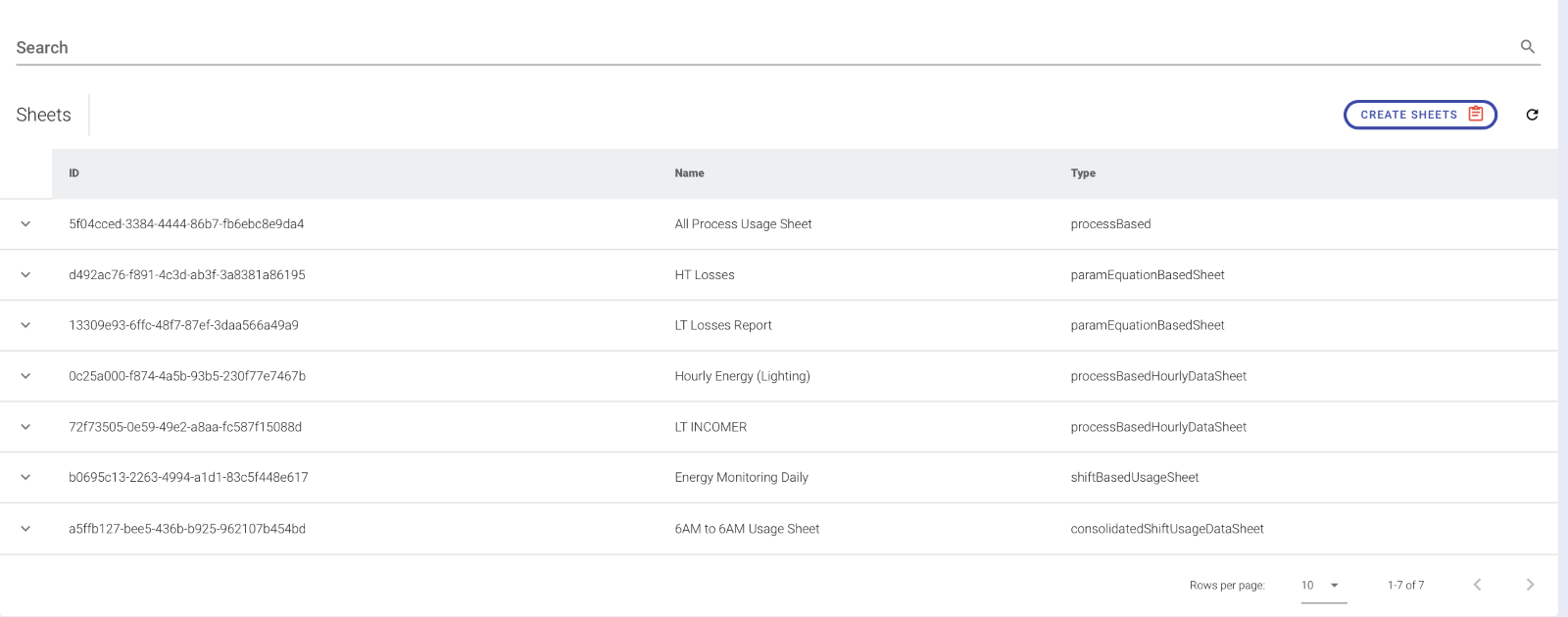
Process Based Time Framed Sheet
This sheet allows us to configure with the choice of a process and flexible timings for when the data will be captured. The Timeframe can also be selected upon requirement.
To create a sheet based on Process with its Time Duration, a Process Based TimeFrame Sheet can be used. Click on Process Based TimeFramed. The page below appears.
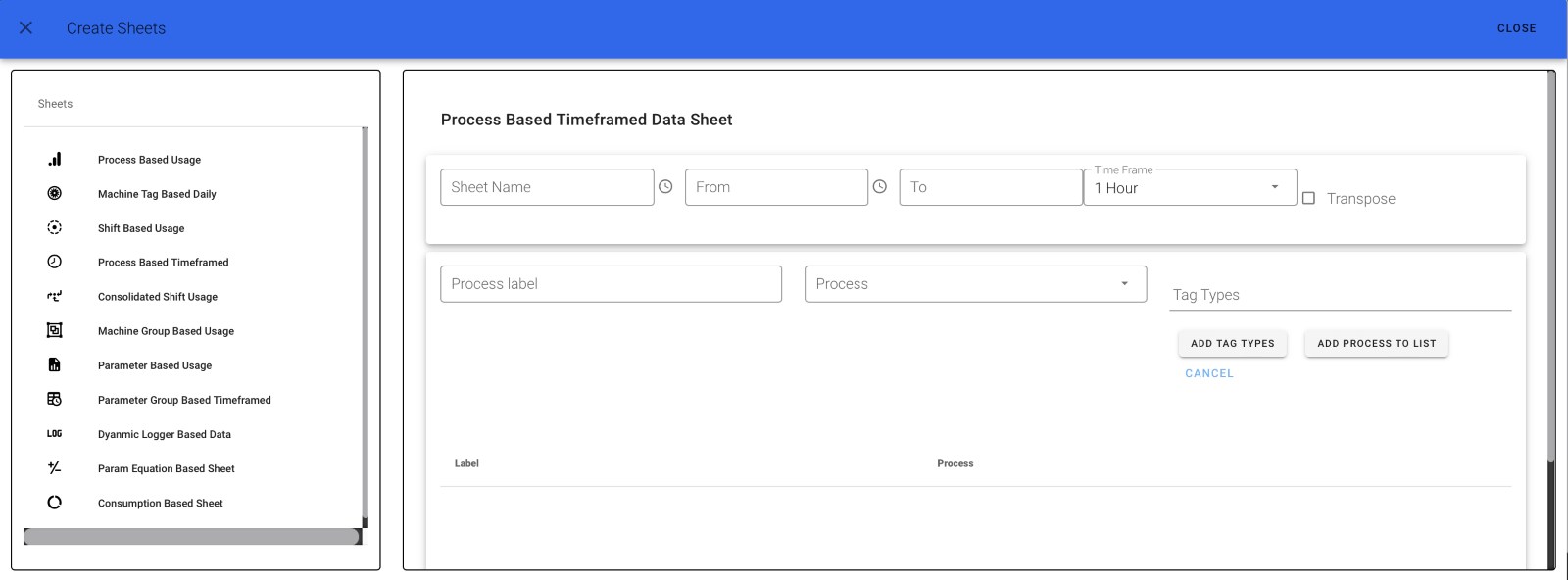
Step 1
Give your Sheet a Name and choose the Time From followed by To, and select your timeframe from the drop-down list. The images below will be helpful for better understanding. (Choose timeframe from the clock option.)
Step 2
The page will look like the given below page.
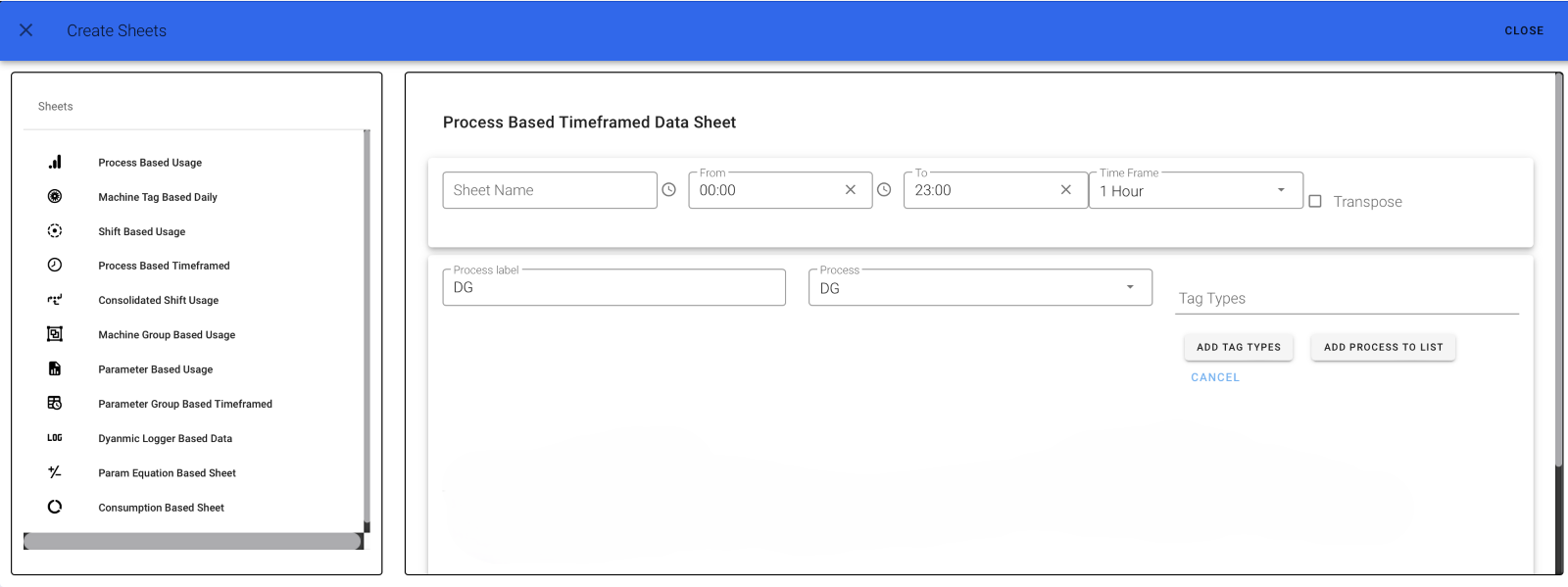
Step 3
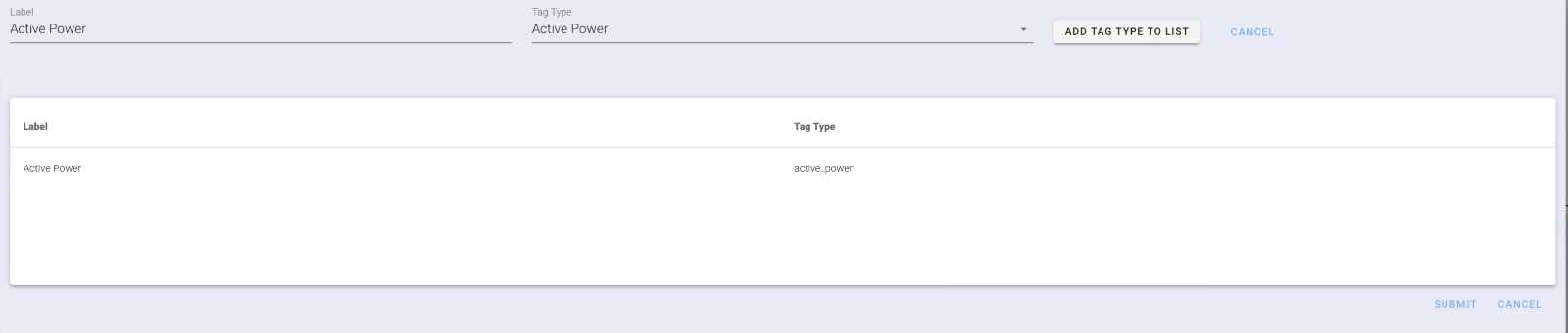
Add Your Tag Types by clicking on "ADD TAG TYPES" button. A dialog box appears as shown below. Fill in Your Tag Label, select your Tag Type, and click on ADD TAG TYPE TO LIST.
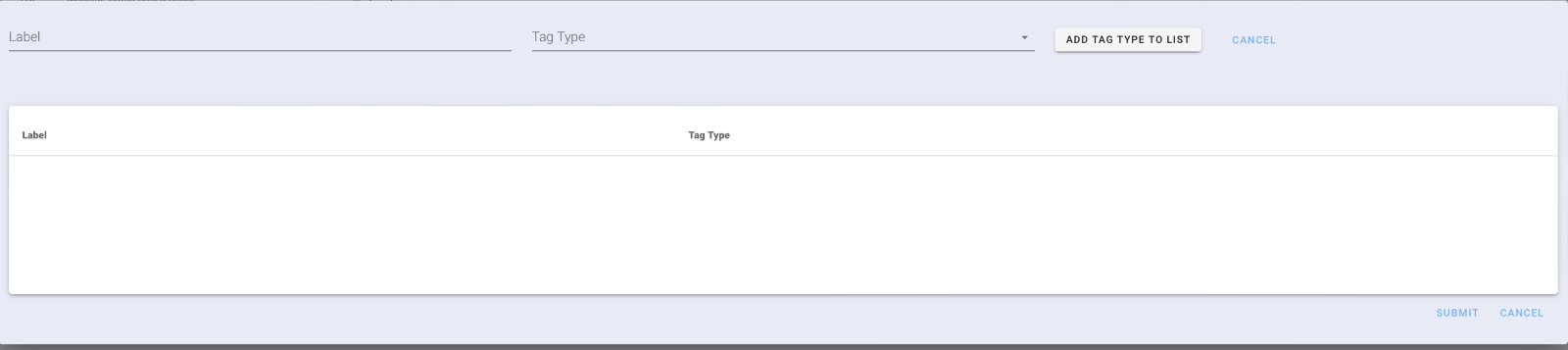
Step 4
The below image shows how a tag type is added to the list.
Step 5
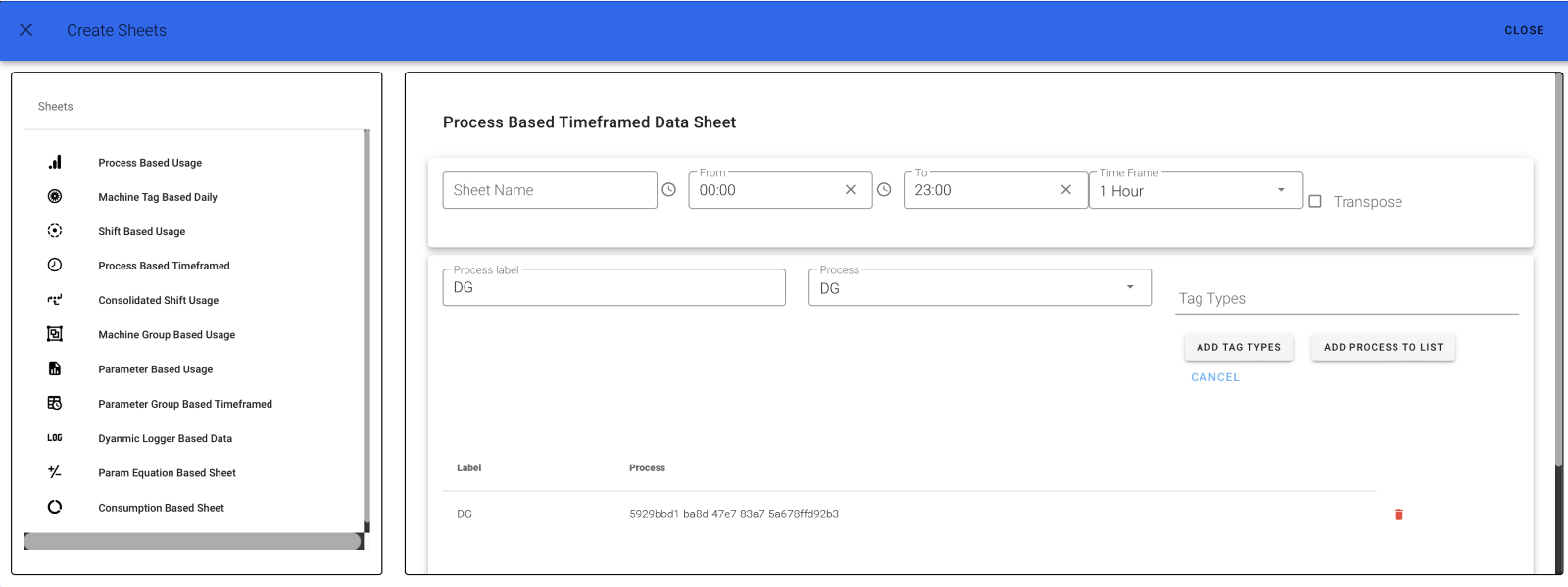
Now click on "ADD PROCESS TO LIST" to add the Tag Type List to the process. The below image shows how a tag type list is added to the Process List. You can also delete your Tag Type. Finally, click on Submit.
Step 6
A fully created Process Based Time Framed Usage Sheet will look like this.